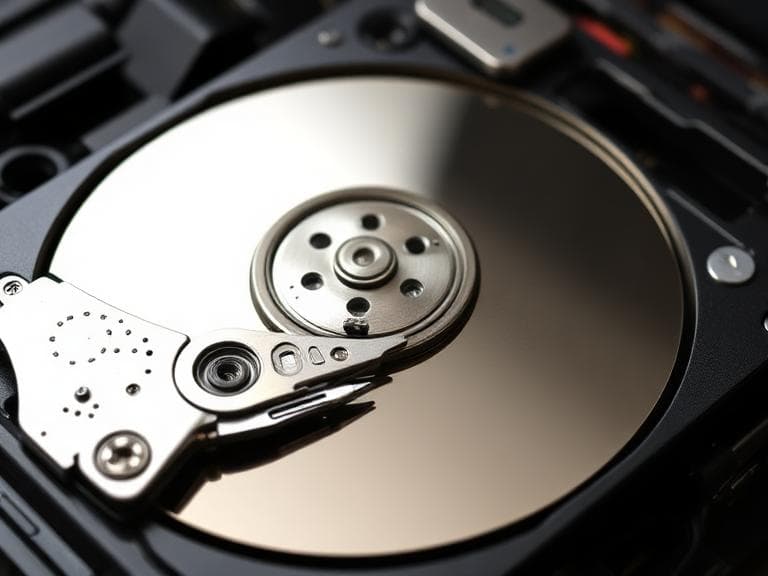
Fast SSD Hard Drive Recovery with Guaranteed Data Safety
TechOS Consultant
Professional hard drive recovery service for SSD & HDD. Recover files, photos & data safely with affordable pricing.
Hard Drive Recovery: Simple Guide to Recover Your Data Safely
Losing important files can happen in seconds — whether it’s accidental deletion, system crash, or hardware failure.
The good news is that hard drive recovery is often possible if you act quickly and follow the right steps.
This guide walks you through simple, beginner-friendly methods to recover your data, along with when to rely on a professional service like Tech OS for guaranteed results.
Common Causes of Data Loss
Before starting any hard drive recovery process, understanding the cause helps you avoid making things worse.
Hardware Failures
- Damaged HDD or SSD
- Power surges or electrical issues
- Overheating components
Human Errors
- Accidental deletion
- Formatting the wrong drive
- Overwriting files
Software Issues
- Malware or viruses
- Corrupted operating system
- File system errors
Identifying the cause increases your chances of successful recovery.
Recover your deleted files on your SSD now!
First Steps Before Trying Recovery
When data loss happens, your first reaction matters.
Stop Using the Drive Immediately
This is the most important rule in hard drive recovery. Continued use can overwrite your lost data permanently.
Disconnect External Drives
If the issue is with an external drive, unplug it safely to prevent further damage.
Do Not Install Recovery Tools on the Same Drive
Always use another device or drive to avoid overwriting the lost files.
Simple Methods to Recover Deleted Files
These beginner-friendly steps can help recover lost data without advanced tools.
Check the Recycle Bin
Sometimes files are not permanently deleted.
- Open Recycle Bin
- Search for your file
- Restore it to its original location
Use File History or Backup
If you have backups enabled:
- Open backup settings
- Restore previous versions
- Recover your files safely
These basic steps are often overlooked in hard drive recovery, yet they can solve the problem quickly.
Using Data Recovery Software
If manual methods don’t work, recovery tools can help.
How It Works
Data recovery software scans your drive and finds recoverable files that are not yet overwritten.
Tips for Best Results
- Use trusted recovery tools
- Install software on a different drive
- Perform a deep scan for better results
This approach is commonly used in ssd data recovery and traditional HDD recovery.
SSD Hard Drive Recovery: What You Should Know
Recovering data from SSDs is different from traditional hard drives.
Why SSD Recovery Is More Complex
- SSDs use TRIM technology
- Deleted data may be erased faster
- Limited recovery window
Tips for SSD Recovery
- Stop using the SSD immediately
- Avoid installing new programs
- Seek professional help early
Because of these factors, ssd hard drive recovery requires careful handling to avoid permanent data loss.
File Recovery on SSD: Practical Advice
When attempting file recovery on ssd, timing is critical.
What You Can Try
- Use specialized SSD recovery software
- Scan the drive as soon as possible
- Avoid rebooting multiple times
What to Avoid
- Writing new files to the SSD
- Running unnecessary applications
- Attempting risky DIY fixes
These precautions increase your chances of successful recovery.
Signs You Need Professional Data Recovery
Sometimes DIY methods are not enough. You should contact experts if:
- The drive is not detected
- You hear unusual noises (HDD)
- Files are completely inaccessible
- Recovery software fails
At this stage, professional hard drive recovery services become essential.
Why Choose Tech OS for Data Recovery
When your data is valuable, you need a reliable solution.
Tech OS offers professional hard drive recovery services with:
- Advanced recovery tools and techniques
- Safe handling of HDD and SSD devices
- High success rate in ssd data recovery
- Recovery of all file types including photos, videos, and documents
Guaranteed Safety and Affordable Pricing
One of the biggest concerns in data recovery is losing files permanently during the process.
With Tech OS, you get:
- Secure recovery process with minimal risk
- Strict data privacy and protection
- Affordable pricing tailored to your case
- Transparent diagnosis before starting
Whether you need ssd hard drive recovery or full system restoration, your data is handled with care.
Recover All Types of Files Easily
Tech OS specializes in recovering:
- Personal photos and videos
- Work documents and files
- Databases and business data
- Deleted or formatted partitions
Even in complex cases of file recovery on ssd, the right tools and expertise can make a huge difference.
Prevent Future Data Loss
After completing your hard drive recovery, take steps to protect your data:
Best Practices
- Backup your files regularly
- Use cloud storage solutions
- Install antivirus software
- Monitor drive health
Prevention is always easier than recovery.
Q&A: Hard Drive Recovery Explained
Can I recover permanently deleted files?
Yes, in many cases. If the data has not been overwritten, hard drive recovery tools or professionals can restore it.
Is SSD data recovery possible?
Yes, but it’s more complex due to TRIM technology. Early action improves success rates in ssd data recovery.
How long does data recovery take?
It depends on the damage. Simple cases may take hours, while complex cases can take several days.
Is it safe to use recovery software?
Yes, if used correctly. Always install it on a different drive and follow best practices.
When should I contact a professional?
If your drive is not detected or recovery tools fail, it’s best to rely on experts like Tech OS for safe recovery.
Will I lose my data during recovery?
With professional services like Tech OS, the process is designed to minimize risks and maximize successful recovery of all files.
TechOS Consultant
Edmonton-based IT professional at TechOS, helping Alberta businesses stay secure, productive, and ahead of evolving technology challenges.
Get a Free IT Assessment
Talk to our Edmonton team about your infrastructure, security gaps, and the right IT plan for your business.
Book Assessment

